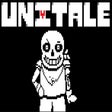

An unusual but interesting game
UNITALE is a free and easy puzzle game for Windows users. It is set in a 2D framework and is designed using simple game creating software. Though the graphics make the game look very old, it isn’t. In the game, you’re inside a storyline with limited options. Each action leads to a different result and is interesting to see where the game takes the user. While the story isn’t unique, UNITALE allows users to create their own battle, add new characters, and compose a background score.
Top Recommended Alternative
What is UNITALE?
Based on Undertale, a role-playing video game, UNITALE is a game engine kept functioning by devoted fans. Users can modify the game using Lua, a programming language used to create the 2D puzzle game. Even with a basic knowledge of coding, users can change the game’s template to create new storylines, characters, and fights.
Create your own battle
Considering that you have a working knowledge of Lua, you can create different battles. The game provides the basic sounds and data used in the battle system of Undertale. You can create your own fights using the available data or add different sounds and programs directly into UNITALE. Since the game offers so many possibilities, there always is speculation on the programs that it can support.
Choose different options
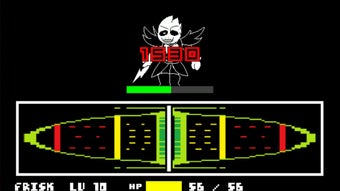
When you start playing the game, you find yourself in a storyline that progresses when selecting an option. Irrespective of where you are in the game, you may be presented with different questions or actions. One such menu appears as the bottom with options like Act, Item, Mercy, and Fight.
Each option leads to a different result, so you must choose wisely. Since the game is changed frequently, you can’t anticipate what happens next. Each developer adds tweaks that you can easily experience. Many users play the game to see where each option leads.
Action-based game
UNITALE is an action-packed game loaded with unique stories that you can explore. The game, set in a 2D environment, offers limited options, each of which leads to different scenarios. Considering how players regularly update the gameplay, these options are also never the same.
While the storyline isn’t epic, it follows the basic principle of fight and surrender and is mostly interesting for its output. The background music also acts as an enabler and can be edited to suit your taste.
Old-looking graphics
UNITALE looks as if it has been drawn on Microsoft, making it seem older than it is. Based on a simple game developing software, UNITALE hardly offers any exciting design elements. It is a basic game within a 2D environment. This means that the game’s background, the characters, the options menu, and the objects you encounter are all in 2D style.
While the game looks unusual, it’s unconventionality is what draws most players in. It enables users to create their own characters, music, backgrounds, and fights. You can even pull different programs into the puzzle game. Once you learn how to create a storyline, you can create an arc that you find interesting.
Modern references
Though UNITALE looks like an old game, it has a modern appeal. Instead of playing old games, users download and play UNITALE because it offers them with modern references, which make playing the game a lot more fun and relevant.
How do you use UNITALE?
To get started with UNITALE, you must have a working knowledge of the programming language Lua. Considering that the language is easy to learn and use - you can get started fast. Apart from it, the game also comes with simple tutorials and guides on how to use UNITALE.
Since the game has a huge community, you can never run out of articles that talk about creating new fights, characters, and music. The community also offers various assets like music, mechanics, and graphics that are pre-made and can be added to the game by new modifiers.
Are there any system requirements
UNITALE works well on both Windows and Linux devices and doesn’t have any particular system requirements. You can also run the game on your Mac OS, but you might have to download a third-party application to ensure it works properly. Linux computers may also require third-party applications. You also require a good knowledge of the programming language Lua.
What is the size of UNITALE?
The game is quite lightweight and is available in a 13MB zip file. It works on all devices running Windows 7 and above.
Are there any alternatives?
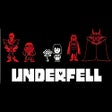
If you’re looking for similar games like UNITALE, you can check out Undertale: Underfall, Sans Simulator, and Undertale. All of these are role-playing games with an option to edit the game as per your requirements.
Fascinating in its unique way
If you’re looking for a game that lets you tweak its elements as per your requirements, this game is for you. It is a unique role-playing game set in a 2D puzzle world that requires a good knowledge of Lua, a high-level programming language. You can also access the games’ community portal for various mods and add them to the gameplay.
In case you’re proficient in Lua, you can easily edit the gaming engine to create your own battles, compose music, and redesign characters. The game functions in a 2D environment, acting as a nostalgic buffer while offering modern references.